
Cancelling your subscriptions in 5-steps
Cancellation is possible at any time during a subscription period, however, your subscription will continue until the end of the purchase period.
1. Login into account
2. Choose Account in far left box OR in the top right corner
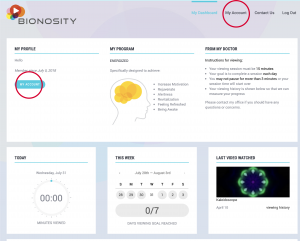
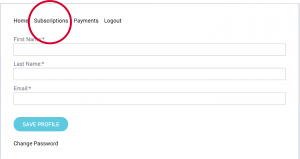
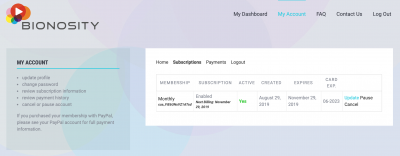
3. In the account home tab, choose “subscriptions” in the white box
4. Next, you have the options to Update, pause, or cancel. Select “CANCEL”
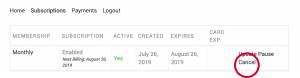
5. A prompted screen will pop up asking if you are sure you want to cancel? Choose yes.

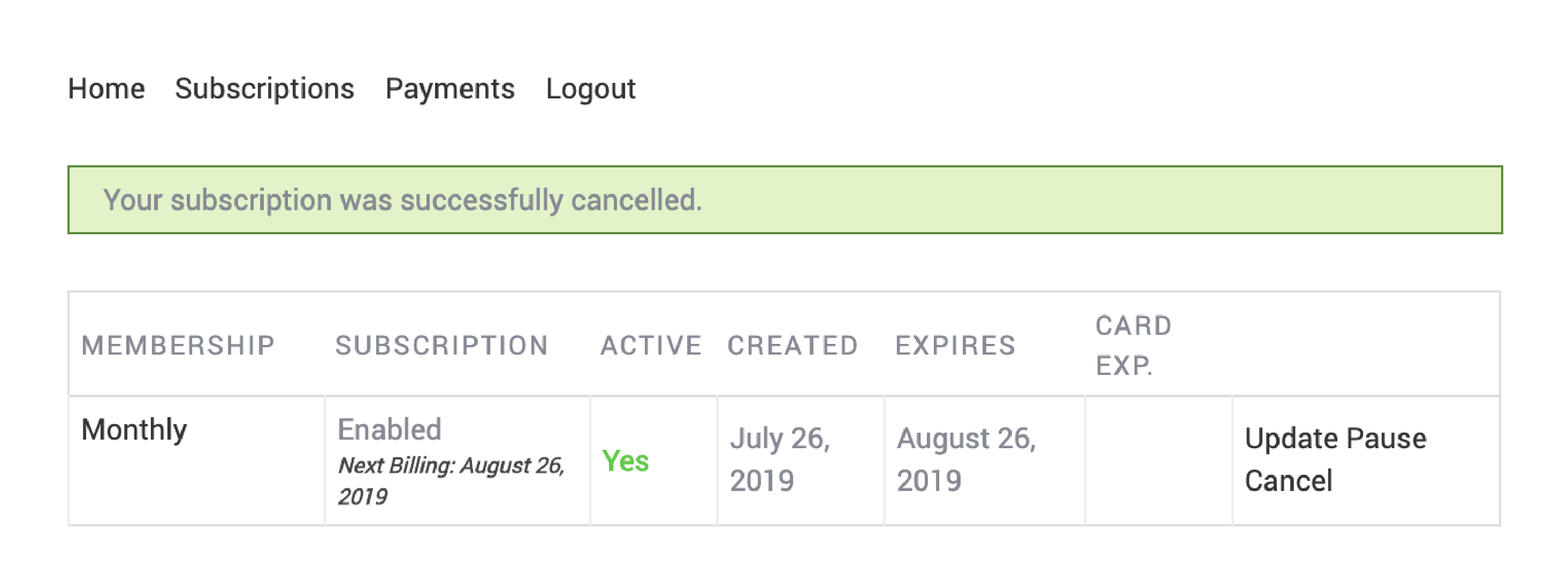
A green bar will appear to confirm that your subscription was cancelled successfully.
Changing your credit card information
1. Login into account
2. Choose Account in far left box OR in the top right corner
3. In the account home tab, choose “subscriptions” in the white box
4. Next, you have the options to Update, pause, or cancel. Select “UPDATE”
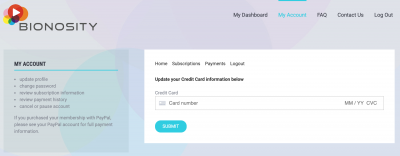
5. Finally you will be presented with a screen where you can enter in new credit card information.
We provide a free app for Android and iOS devices if you have any issues viewing videos on a mobile device through our website. Use the links below to download the app to your device.
As stated on our Terms & Conditions page, we do not provide refunds on services. If you feel like there are extenuating circumstances that justify a refund, send us a message on our Contact Us page and we will review your request.
Cancellation is possible at any time during a subscription period, however, your subscription will continue until the end of the purchase period.
We do not accept payments via Health Saving Account (HSA) cards. Companies that accept HSA cards require a special Merchant Category Code (MCC).